


Family Island™ — Farming game
4.574.94K Reviews
App Specs
- Version
- 2026240.1.93019
- Updated On
- License
- Free
- Downloads
- 50,000,000+
- Developer
- Melsoft Games Ltd
- Categories
- Casual
- Platform
- Android, iOS
Screenshots


 Analysis by AppCompare
When I look at Family Island™ — Farming game as a game to pick up between other parts of the day, its appeal is the way routine tasks sit alongside an ongoing island story. I can spend a short session gathering what I need, or settle in to work through a larger building goal. That mix makes it feel less like a pure farming checklist and more like a casual adventure with a home base to shape.
A casual game built around steady progress
Family Island is a free casual game from Melsoft Games Ltd. It has a 4.5 average from around 1.6 million ratings, and has been installed over 50 million times. Those figures suggest a broad audience, but the more useful question is whether its pace suits you: the game is at its best when you enjoy gradual progress rather than expecting every session to deliver a major breakthrough.
The current version is 2026010.5.88296, while the game first appeared on November 18, 2019. That long span and the current version number show that this is an established, continuing product, not a newly launched island experiment. I would treat the version as a snapshot of its present state, not as proof that any particular feature has recently changed. The game is rated Everyone and supports Android 7.0 or later, so it is broadly approachable for families, though younger players may still need help understanding the choices around purchases.
What the ongoing release means in practice
For someone starting now, the main advantage of an established game is that its central loop is already clearly formed: gather, make, build, and follow the story. Returning players can also expect to meet the game as an actively maintained product rather than a one-and-done release. I would still judge each update by how it affects the way I play, rather than assuming that a newer version automatically makes the experience better. A changed balance, a new event, or a different task flow matters only if it fits the time and patience I want to give the game.
Picking goals that fit a short session
My practical tip is to choose a small objective before opening the game: collect the resources for one craft, clear a manageable patch, or move one building plan forward. That keeps a quick check-in satisfying instead of turning it into aimless tapping across the island. For longer sessions, I’d focus on a quest chain and let its requirements guide what I gather; otherwise it is easy to spend effort on materials that do not help with the next step.
Where its pace can test your patience
The same layered progression that gives the island purpose can also make it feel demanding. Farming, crafting, quests, and expansion all ask for attention, and a player who wants a complete task list in one sitting may find the rhythm slow. Free play is possible, but purchases are offered, ranging from $0.99 to $149.99 per item. I’d set a spending boundary before playing, especially if a timer or a tempting shortcut makes waiting feel frustrating. The game works best for me when I treat purchases as optional, not as the expected way to keep the story moving.
Who will enjoy this island—and who may not
I’d recommend it to players who like watching a small settlement develop and don’t mind repeating resource-gathering steps to unlock the next improvement. It can suit a relaxed evening, a commute with a reliable connection, or a few quiet breaks when I want a clear little goal. It is less suitable if I want a self-contained puzzle with a definite finish, a fast action game, or a farming sim where open-ended crop management is the main attraction. Compared with a straightforward match puzzle, Family Island asks for more planning across resources and buildings; compared with a conventional farm simulator, its story and exploration give progression a more quest-led feel.
Worth Reading Before You Choose

Switching to Android Auto Means Rethinking Your Driving Routine

Google Calendar Makes a Crowded Week Easier to Manage

Baby Panda World Brings Quick Play to Modern Phones, but Its Game Library Feels Busy

ESPN’s Live Game View Makes Following Close Games Easier

QuizzLand Review: A Good Fit for Short Trivia Breaks, Not Every Player

Basketball Stars: Multiplayer Is Fast, but Can It Recover When Matches Go Wrong?
For an everyday example, I might open it during a lunch break, check which materials a current task needs, and make progress on one useful item rather than trying to clear every objective. Later, with more time, I could return to the longer chain and decide whether the next building or exploration goal is worth prioritizing. That two-session approach helps me enjoy the sense of continuity without letting the game dictate how long I stay.
The Allure of Island Life
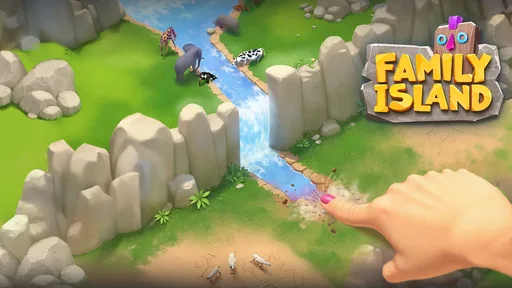
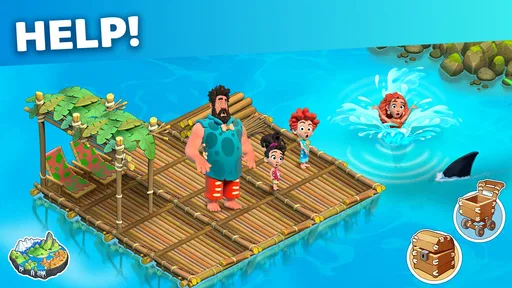
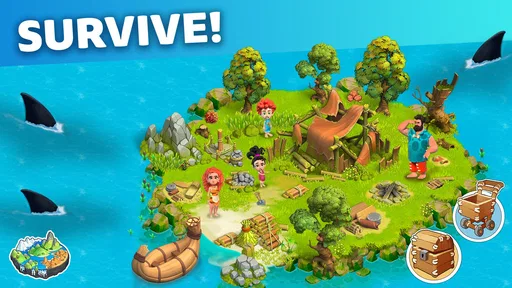
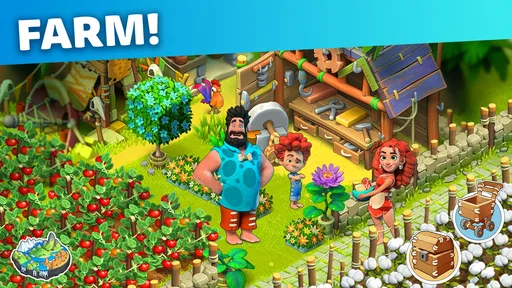
First off, let me just say that Family Island™ is a visual feast. The graphics are vibrant and colorful, taking you straight to a tropical island where you can almost feel the breeze and hear the ocean waves. You start off with a family stranded on an island, and your mission is to help them build a thriving community. The storyline is engaging, with a mix of humor and heartwarming moments that keep you invested in the characters’ lives.
Gameplay Mechanics
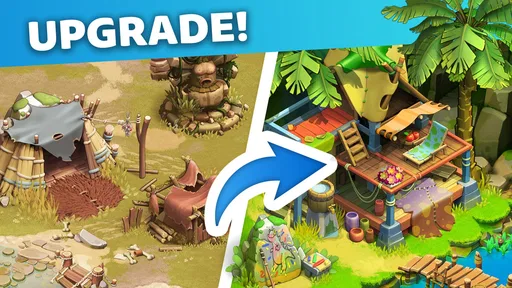
So, what’s the gameplay like? Well, if you've ever enjoyed farming games, you’re going to feel right at home. You’ll be planting crops, raising animals, and crafting goods to trade with other islanders. The controls are intuitive, making it easy to navigate through the different tasks. I found myself really enjoying the process of upgrading buildings and expanding my island. It’s like being the architect of your own little paradise!
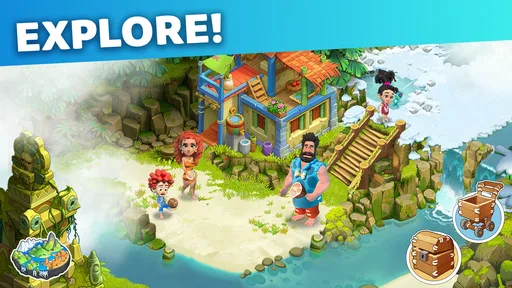
But wait, there’s more! The game introduces various challenges and quests that add a layer of adventure. You’ll be exploring ancient ruins, discovering hidden treasures, and even solving puzzles. These elements keep the gameplay fresh and exciting, ensuring you’re never bored.
Building and Crafting
One of the standout features is the crafting system. It’s robust and allows you to create a wide range of items from the resources you gather. Whether it’s building materials or food, crafting is essential to progressing in the game. I loved how you can customize your island with different buildings and decorations, making it truly your own.
A useful way to approach that crafting loop is to treat each recipe as a decision about priorities, not just a button to press. If a quest needs a particular item, I would work backward from that requirement and gather only what advances it. When I have no urgent objective, I can use the time to improve the island more generally. This avoids the common trap of spending a session collecting broadly, then discovering that the next task calls for a different set of materials.
Family Dynamics
What sets Family Island™ apart is the focus on family. The interactions between family members are charming and often humorous. Each member has their unique personality and role on the island, and as you progress, you’ll unlock more about their backstory. It adds a personal touch that I found quite endearing.
In-Game Purchases
Like many free-to-play games, Family Island™ offers in-game purchases. While you can enjoy the game without spending a dime, there are options to speed up progress with gems. The game is generous with rewards, so you won’t feel pressured to make purchases unless you want to.
That choice is worth thinking through before a long play session. I would save any premium currency for a moment when it removes a real bottleneck, rather than spending it simply because a task is taking time. The advertised purchase range runs from $0.99 to $149.99 per item, so it is sensible to keep purchase approval and a clear budget in mind if a child is playing. The Everyone age rating describes the content classification; it does not replace a family’s own rules about spending or screen time.
Community and Events
Another aspect worth mentioning is the community events. These events offer unique challenges and rewards, encouraging you to join forces with other players. It’s a fun way to interact and compete, adding a social element to the game. Plus, the developers regularly update the game with new content, so there’s always something to look forward to.
Events can be a pleasant change of pace, but I wouldn’t make them the sole reason to play. A timed challenge can create a useful short-term target; it can also feel like pressure if I only want a calm, self-directed session. I’d check what an event asks me to do and decide whether its goals overlap with the island work I already wanted to complete. If they do, the extra structure feels welcome. If not, I’m better off returning to my own priorities instead of treating every limited-time task as compulsory.
Making the most of the game on your device
Because this is a progression-heavy game, I’d think about continuity as well as individual sessions. If I play on a device that is shared with family, I would make sure everyone understands whose progress they are advancing before taking actions that use resources or change the island. I’d also avoid starting a demanding quest when I have only a moment to spare; finishing a small gathering or crafting step is a more satisfying use of that time. These habits are simple, but they help keep a casual game from becoming a source of avoidable frustration.
Players often wonder whether they need to pay to enjoy the core experience. My view is that the game can be approached without purchases, provided you are comfortable with its gradual pace and do not expect every wait to disappear. If you prefer instant access to every upgrade, the free-to-play structure may irritate you. Another common question is whether it suits a younger player: its Everyone rating makes it broadly accessible, but an adult should still supervise purchase settings and help a child recognize that optional shortcuts are not necessary for enjoying the story.
What to watch as the game continues
For existing players, a new version is most useful when it improves the actual routine: clearer goals, a better balance between gathering and crafting, or events that complement rather than interrupt island progress. I would look for those practical effects rather than judging updates by their number alone. The game’s continuing development is encouraging, but no release label can guarantee that every change will suit every player. If a new task structure makes the island feel more like a checklist than an adventure, it is reasonable to step back and play at your own pace.
There is also a sensible point at which another kind of game is the better choice. If I want a puzzle that can be completed in a few minutes without managing several linked goals, I’d pick a focused puzzle game. If I want deep, open-ended farming with crop planning as the central activity, I’d choose a farm simulator built around that specific loop. Family Island sits between those options: its appeal is the combination of a developing settlement, resource decisions, family storytelling, and exploration. That blend is distinctive, but it also means it is not the most direct choice for someone who wants only one of those elements.
Final Thoughts
In conclusion, Family Island™ — Farming game is a delightful escape into a world of adventure and creativity. It’s perfect for those who love farming simulations with a twist of family dynamics and exploration. The vibrant graphics, engaging story, and variety of activities make it a standout choice for mobile gamers. Whether you’re a seasoned player or new to the genre, this game is sure to keep you entertained for hours. So, why not give it a try and start your island adventure today?
My final recommendation is more specific: try it if you enjoy making small, connected improvements and like having a story to give those tasks context. Keep your sessions goal-oriented, decide in advance how you feel about optional spending, and let events remain optional fun rather than obligations. If that kind of gentle, layered progress sounds appealing, the island can be a rewarding place to return to; if you need a quick finish or dislike resource loops, a more focused puzzle or action game will probably suit you better.
Pros
- Engaging storyline with unique quests
- Colorful graphics enhance gameplay experience
- Expansive island to explore and develop
- Offline play available for convenience
- Regular updates with new features
Cons
- Energy system limits playtime
- In-app purchases can be expensive
- Requires strong internet for updates
- Occasional lag on older devices
- Repetitive tasks can feel monotonous
FAQs for Family Island™ — Farming game
What is Family Island™ — Farming game about?
Family Island™ — Farming game is a simulation game where players manage a family living on a remote island. You'll cultivate crops, explore the island for resources, and build a thriving community. The game combines elements of adventure and strategy, offering an engaging experience as you help the family adapt to their environment.
Is Family Island™ free to play?
Yes, Family Island™ is free to download and play. However, the game includes in-app purchases that allow players to buy additional resources or speed up progress. These purchases are optional, and players can enjoy the game without spending money, although it might require more time and effort.
What devices support Family Island™?
Family Island™ is available for both Android and iOS devices. It requires Android 5.0 and up or iOS 9.0 or later. Ensure your device meets these requirements for optimal gameplay. Regular updates are released to improve performance and add new features, so keeping your app updated is recommended.
How does the energy system work in Family Island™?
In Family Island™, actions such as gathering resources or crafting items require energy. Energy replenishes over time, but players can also obtain it through specific in-game actions or by purchasing energy packs. Managing energy efficiently is key to progressing in the game without interruptions.
Can Family Island™ be played offline?
Family Island™ requires an internet connection to play. This connection is necessary for saving progress, accessing updates, and interacting with online features. While this means you can’t play offline, the online connectivity ensures a smooth and updated gaming experience.


